
Smart Prospecting
See how sales prospecting is evolving in organizations with AI agents.
- Prebuilt agent Ready to use, we do not start from scratch.We start from an agent prepared for this process and configure it with your rules, your systems and your way of working.
- Best practices Built in from day one.The agent's instructions incorporate the process practices we have applied when automating it in different organizations.
- Configured by experts Functional and technology consultants.Specialized consultants support the configuration, integration, testing and go-live of the agent in your operation.
- Agent platform Workforce AI.The agent runs on Workforce AI, GIITIC's own platform that centralizes security, permissions, audit, usage and administration of all your agents.
- Process experience Processes + technology + enterprise software.Behind every agent are years of experience implementing enterprise software and automating processes in companies across Latin America.
- GIITIC software ecosystem The tools the agent needs.We integrate with your current systems and, if you are missing one, the GIITIC ecosystem provides the modules the agent needs to query and act.

How it is done today, and why it is no longer enough
Salespeople spend only about 25% of their time selling, according to Bain & Company; much of the rest goes to support tasks. In prospecting, that means hours spent researching accounts and searching for contacts instead of talking with customers.
- Manual research
- Hard-to-find decision makers
- Data that goes stale
- Duplicates in the CRM
- Missed signals
- Unfocused lists
Smart Prospecting agent

I'm an artificial intelligence agent trained by experts, ready to use and built with best practices. I am here to build your account and contact lists based on your ideal customer, research each prospect, complete and verify their data in your CRM and point out the opportunities with the most potential, with a summary ready for outreach. Whatever I cannot confirm, I escalate to you with my proposal.
Prebuilt, but adaptable to each organization.
How I work
- I detectAccounts that fitI look for companies that match your ideal customer profile: industry, size, location and need.
- I researchContext for each accountI read websites, news and public sources to understand their business, their moment and their challenges.
- I identifyDecision makers and contactsI find the people who decide on or influence the purchase according to your buyer profiles.
- I verifyComplete, current dataI complete and validate emails, phone numbers and job titles, and discard what is duplicated or outdated.
- I analyzeSignals and opportunitiesI detect buying signals and prioritize the accounts with the most potential based on your criteria.
- I executeEntry in your CRMI create or update accounts and contacts with their source and a summary of the opportunity.
- I deliverAccount ready for outreachI assign the account to the owner and escalate what I could not confirm, with my proposal.
Results you can achieve
- of salespeople’s time is spent selling
- ≈ 25%Bain estimates that salespeople spend only about a quarter of their time selling; AI could double their time with customers.Source: Bain & Company, Technology Report 2025
- less time on prospecting and preparation
- > 50%Gartner projection for 2026 in B2B sales organizations that use sales technologies with built-in generative AI.Source: Gartner, Oct 24, 2023
- of B2B buyers avoid irrelevant outreach
- 73%B2B buyers who actively avoid suppliers that send them irrelevant messages (survey of 632 buyers, 2024).Source: Gartner, Jun 25, 2025
- fully trust the accuracy of their data
- 35%According to the vendor: sales professionals who fully trust the accuracy of their organization’s data (5,500 respondents, 2024).Source: Salesforce, State of Sales, 2024
Reference values based on benchmarks and comparable scenarios. Results depend on the characteristics of each operation and are not guaranteed results.
Greater speed, higher quality, lower costs

Greater speed
Automate tasks and connect your information so your team responds sooner and your processes move forward without waiting.
- Prepares accounts and contacts in minutes, not days of searching
- Processes entire lists without depending on team capacity
- Detects buying signals in time to reach prospects before others
- Delivers each account with a summary ready for the first contact

Higher quality
Standardize the work and control every step so your information is reliable and your results are consistent.
- Focuses lists on the accounts that fit your ideal customer
- Completes and verifies data before entering it in the CRM
- Avoids duplicates and accounts that already have an owner
- Keeps a trail for every data point: source, date and criteria applied

Lower costs
Reduce rework, errors and manual work so your operation delivers more with the same resources.
- Reduces the hours of manual research per prospect
- Dedicates salespeople to talking with customers, not searching for data
- Cuts the effort wasted on outdated contacts or contacts that do not fit
- Makes better use of the data sources your company already has
Artificial intelligence in account and contact prospecting
Before
- 3:00 p.m.3:00 p.m. · MilestoneThe manager assigns a new target account
- 3:00 p.m.3:00 p.m. · Lost timeCustomer meetings, end of the workday and the morning’s pending items18 h
- 9:00 a.m. · day 29:00 a.m. · day 2 · PersonResearches the company: website, news, size and industry30 min
- 9:30 a.m.9:30 a.m. · Lost timeCalls and follow-ups on other accounts3 h
- 12:30 p.m.12:30 p.m. · PersonSearches professional networks for likely decision makers and their titles20 min
- 12:50 p.m.12:50 p.m. · Lost timeLunch and afternoon visits4 h
- 4:50 p.m.4:50 p.m. · PersonFinds emails and phone numbers and verifies which ones are still current20 min
- 5:10 p.m.5:10 p.m. · Lost timeEnd of the workday16 h
- 9:10 a.m. · day 39:10 a.m. · day 3 · PersonChecks in the CRM whether the account already exists and finds a previous contact10 min
- 9:20 a.m.9:20 a.m. · Lost timeWaits for a reply from the salesperson who handled the account before5 h
- 2:20 p.m.2:20 p.m. · PersonEnters the account and contacts in the CRM and writes the opportunity summary20 min
- 2:40 p.m. · day 32:40 p.m. · day 3 · MilestoneAccount ready for outreach
Now
- 3:00 p.m.3:00 p.m. · MilestoneThe manager assigns a new target account
- 3:00 p.m.3:00 p.m. · AgentResearches the company in public sources: size, industry, news and buying signals< 1 min
- 3:01 p.m.3:01 p.m. · AgentIdentifies decision makers based on your buyer profiles and verifies their contact details< 1 min
- 3:02 p.m.3:02 p.m. · AgentFinds a previous contact with the account in the CRM and escalates it with a summary< 1 min
- 3:03 p.m.3:03 p.m. · Lost timeThe executive finishes their current call30 min
- 3:33 p.m.3:33 p.m. · PersonReviews the agent’s summary and confirms the account can be worked5 min
- 3:38 p.m.3:38 p.m. · AgentEnters the account and contacts in the CRM with the opportunity summary< 1 min
- 3:39 p.m.3:39 p.m. · MilestoneAccount ready for outreach the same day
Tangible results in your operation
| Indicator | Before | Now | Factor |
|---|---|---|---|
| End-to-end cycle time | ≈ 48 h | ≈ 40 min | ×73 |
| Human work time | 1 h 40 min | 5 min | ×20 |
| Waiting time | 46 h | 30 min | ×92 |
| Human intervention | 100% | ≈ 40% | ÷2.5 |
| Team capacity | 1× | ≈ 2.5× | ×2.5 |
Illustrative reference scenario. Times depend on each operation and are validated with your data.
Your team moves from operating to deciding
The capacity the agent frees up goes to analysis, decisions, relationships, exceptions, improvement and innovation.
No more low-value manual tasks
- Researching each account by hand on websites and news
- Searching professional networks for decision makers and titles
- Finding and verifying emails and phone numbers one by one
- Cleaning up duplicates and outdated data in the CRM
- Building lists in spreadsheets
The team adds value to the operation
- Talking with the prospects that fit best, with the context the agent prepares
- Refining the ideal customer profile and the prioritization criteria
- Preparing better first contacts based on the signals detected
- Coordinating segments and messages for each campaign with marketing
- Analyzing which accounts advance and why, to improve prospecting
Your team's professional growth
- Prospecting strategistDefines the ideal customer, the segments and the signals the agent should look for and prioritize.
- Agent supervisorReviews the quality of lists and data, adjusts rules and governs the agent’s knowledge.
- Sales data analystLooks after CRM quality and measures which sources and segments generate opportunities.
Agents are only as good as the knowledge and context they handle
It is one of the great challenges of enterprise artificial intelligence (AI): an agent without clear rules, reliable data and business context makes mistakes or stops. That is why knowledge is prepared, governed and improved as part of the project.
- Ideal customer profile: target industries, sizes and locations
- Buyer profiles: titles that decide and influence
- Prioritization criteria and relevant buying signals
- Portfolio, value proposition and use cases by segment

The knowledge this agent handles
- Account and territory assignment rules
- Excluded accounts, current customers and competitors
- Authorized data sources and their terms of use
60%
of AI projects without AI-ready data will be abandoned through 2026, according to Gartner. Gartner, “Lack of AI-Ready Data Puts AI Projects at Risk,” February 2025
Workforce AI helps you prepare, govern and improve it
- Instructions prebuilt by experts
- Process best practices
- Tools to create and capture knowledge
- Knowledge management
- Integration with your current sources
- Enrichment of existing knowledge
- Ongoing updates
- Knowledge governance
- Continuous learning and improvement
We integrate with your environment
We connect the agent with virtually any application, API, service or data source in your company, whether GIITIC or third-party systems.
Integrations this agent requires
- CRM and ERPYour CRM or ERP (Salesforce, SAP or other) or GIITIC CRM: accounts, contacts, history and prospect records.
- Public and web sourcesWebsites, news, business registries and professional networks, according to their terms of use.
- B2B data providersCompany and contact databases your organization already subscribes to, to complete and verify information.

Your agent, connected to your operation
Base systems for agents
If you do not have the base system, we provide reduced versions of GIITIC modules with the capabilities the agent needs to work.
- CRM for agentsA reduced version of GIITIC CRM: accounts, contacts, prospects and opportunities where the agent records its work.
- Applications and ERP
- APIs and web services
- Databases and files
- MCP (Model Context Protocol), when applicable
An agent needs software tools to query information and carry out actions. Without them, it stays a conversation. That is why we cover both paths: connecting to what you already have or giving you what you are missing.
See GIITIC integrations95%
of organizations struggle to integrate AI into their existing processes. MuleSoft (Salesforce), Connectivity Benchmark Report 2025, study sponsored with Vanson Bourne and Deloitte Digital
Today it is one agent, tomorrow dozens
Every area will add agents working at the same time. Workforce AI is the control center of your digital workforce, not an isolated script.
Explore Workforce AI- Agent creation and management
- Security, identities and permissions
- Policies and human oversight
- Traceability and audit
- Observability, quality and results
- Models, tokens, usage and costs
- Continuous updates to new AI models and features
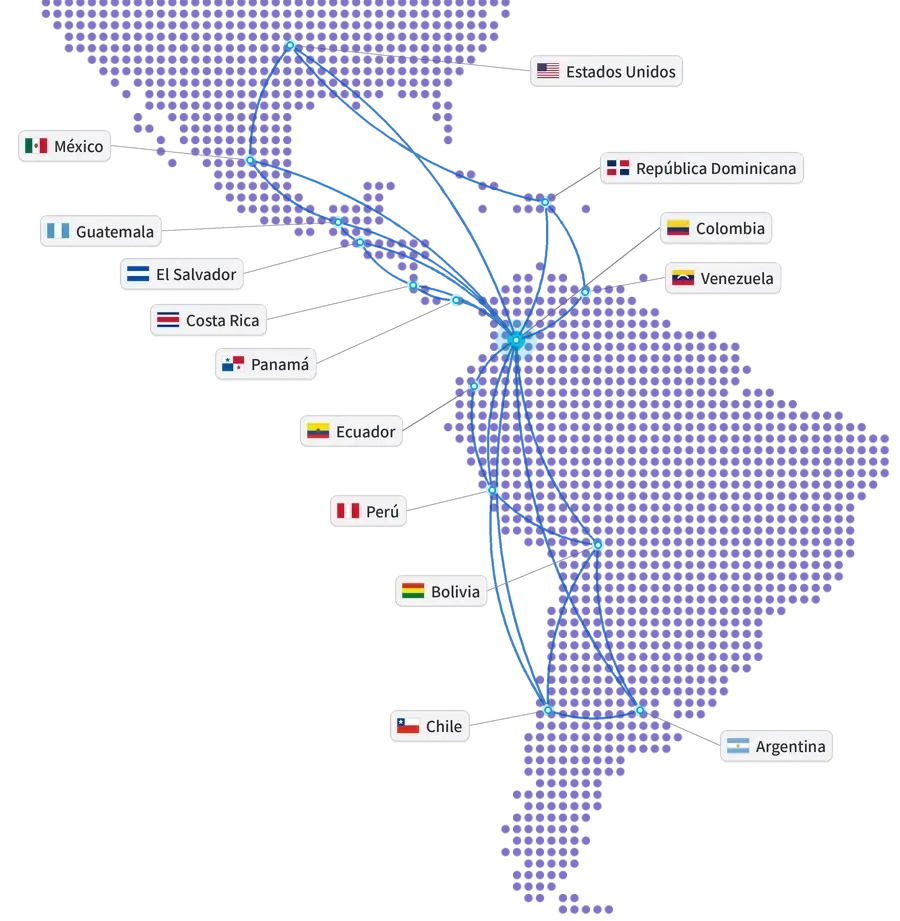
Global experience at your service
- Years of experience
- 15+
- Companies in Latin America
- 850+
- Countries
- 10+
- Integrations
- 100+
- ERP and ERP+ modules
- 40
- AI agents
- 20+
Companies that trust GIITIC






Questions about Smart Prospecting
What sources does the artificial intelligence agent use to research prospects?
Does the agent contact the prospects?
What happens with questionable data or accounts that already exist?
Do I need GIITIC CRM or GIITIC ERP?
How does it adapt to my ideal customer and my sales policies?
Who controls what the agent does?
How long does implementation take and how much does it cost?
What happens to my sales team?
 Next step
Ready to see your agent work in your process?
Let's talk about your operation. A consultant will review your process, your systems and your knowledge, and show you how the agent would work with your rules.
- Demo of the agent with cases from your process.
- Review of your systems and the available knowledge.
- Estimate of the scope and the next step.
Let's talk about your process
Fill in your details and a consultant will get in touch with you.
Registration successful
We'll be in touch with you shortly.