
Smart Scheduling
See how appointment and service scheduling is evolving in organizations with AI agents.
- Prebuilt agent Ready to use, we do not start from scratch.We start from an agent prepared for this process and configure it with your rules, your systems and your way of working.
- Best practices Built in from day one.The agent's instructions incorporate the process practices we have applied when automating it in different organizations.
- Configured by experts Functional and technology consultants.Specialized consultants support the configuration, integration, testing and go-live of the agent in your operation.
- Agent platform Workforce AI.The agent runs on Workforce AI, GIITIC's own platform that centralizes security, permissions, audit, usage and administration of all your agents.
- Process experience Processes + technology + enterprise software.Behind every agent are years of experience implementing enterprise software and automating processes in companies across Latin America.
- GIITIC software ecosystem The tools the agent needs.We integrate with your current systems and, if you are missing one, the GIITIC ecosystem provides the modules the agent needs to query and act.

How it is done today, and why it is no longer enough
In many organizations, appointments are still booked by phone: in a 2025 MGMA survey, 71% of medical groups reported that fewer than a quarter of their patients book through digital channels.
- Phone-only booking
- Back-and-forth messages
- Disconnected calendars
- Unannounced no-shows
- Manual reminders
- Lost rescheduling
Smart Scheduling agent

I'm an artificial intelligence agent trained by experts, ready to use and built with best practices. I am here to handle every appointment or service request on your channels, at any hour: I understand what your customer needs, find the available person, resource and time slot, and schedule, confirm and remind about the appointment. Anything outside your rules, I escalate to you with a proposal.
Prebuilt, but adaptable to each organization.
How I work
- I detectAppointment requestsI receive appointment requests, changes and cancellations through WhatsApp, web, email or phone.
- I understandCustomer and serviceI identify the customer and the service they need: type, duration, location and preferences.
- I analyzeAvailabilityI check the calendars of people, rooms, equipment and zones according to your service rules.
- I decideBest time slotI propose the time slots that meet your rules and the customer’s constraints.
- I executeBooking and confirmationI reserve the time slot and resources, confirm with the customer and notify whoever will provide the service.
- I verifyReminders and changesI send reminders, handle changes and cancellations, and escalate to you anything outside your rules.
Results you can achieve
- in no-shows with digital reminders
- −25%People who receive digital reminders miss 15% of appointments versus 21% with no reminder (meta-analysis of 21 studies).Source: Robotham et al., BMJ Open, 2016
- of missed appointments with two reminders
- 4.4%Compared with 5.8% with one reminder three days before; randomized trial with 54,066 patients in 25 clinics.Source: Steiner et al., The American Journal of Managed Care, 2018
- no-show rate with appointments 0–3 days out
- 8%Compared with 22% when the appointment is set 28–30 days out: booking sooner reduces absences.Source: Mazaheri Habibi et al., Health Science Reports, 2024
- of rescheduling without staff involvement
- 50%According to the vendor, its voice agent handled 50% of rescheduling and more than 60% of cancellations.Source: Relatient (vendor), 2025
Reference values based on benchmarks and comparable scenarios. Results depend on the characteristics of each operation and are not guaranteed results.
Greater speed, higher quality, lower costs

Greater speed
Automate tasks and connect your information so your team responds sooner and your processes move forward without waiting.
- Handles appointment requests at any hour, including outside office hours
- Books in the same conversation, with no back-and-forth messages or calls
- Offers the earliest available time slots so the customer doesn’t wait weeks
- Reschedules and cancels in seconds and frees the slot for another customer

Higher quality
Standardize the work and control every step so your information is reliable and your results are consistent.
- Applies the same service, duration and resource rules to every appointment
- Avoids calendar conflicts and appointments without the necessary person or equipment
- Confirms and reminds about each appointment on the channel the customer prefers
- Keeps a trail of every request, change and confirmation

Lower costs
Reduce rework, errors and manual work so your operation delivers more with the same resources.
- Reduces the calls and messages the team handles just to book appointments
- Cuts empty slots caused by no-shows with reminders and rescheduling
- Handles request peaks without additional staff
- Lets the team focus on serving customers and resolving special cases
Artificial intelligence in appointment and service scheduling
Before
- 10:00 a.m.10:00 a.m. · MilestoneThe customer requests an appointment on WhatsApp
- 10:00 a.m.10:00 a.m. · Lost timeQueue of unanswered messages2 h
- 12:00 p.m.12:00 p.m. · PersonReads the message and asks the customer for their details and preferred time5 min
- 12:05 p.m.12:05 p.m. · Lost timeLunch break and waiting for the customer’s reply2 h
- 2:05 p.m.2:05 p.m. · PersonChecks the calendars of technicians with the required specialty10 min
- 2:15 p.m.2:15 p.m. · Lost timeAsks the coordinator about the zone; they are in a meeting1 h
- 3:15 p.m.3:15 p.m. · PersonCalls the customer and proposes two time slots10 min
- 3:25 p.m.3:25 p.m. · Lost timeThe customer doesn’t answer and returns the call the next day18 h
- 9:25 a.m. · day 29:25 a.m. · day 2 · PersonRecords the appointment in the calendar and confirms it by message10 min
- 9:35 a.m. · day 29:35 a.m. · day 2 · MilestoneAppointment scheduled and confirmed
Now
- 10:00 a.m.10:00 a.m. · MilestoneThe customer requests an appointment on WhatsApp
- 10:00 a.m.10:00 a.m. · AgentUnderstands the request and identifies the customer and the service< 1 min
- 10:01 a.m.10:01 a.m. · AgentChecks calendars, specialty and zone; because the address is outside the usual coverage, escalates it with a proposal< 1 min
- 10:02 a.m.10:02 a.m. · Lost timeThe coordinator finishes their current task30 min
- 10:32 a.m.10:32 a.m. · PersonApproves the travel proposed by the agent2 min
- 10:34 a.m.10:34 a.m. · AgentOffers three time slots in the same conversation and the customer picks one< 1 min
- 10:35 a.m.10:35 a.m. · AgentSchedules, reserves the technician, confirms and sets up the reminders< 1 min
- 10:36 a.m.10:36 a.m. · MilestoneAppointment scheduled and confirmed the same morning
Tangible results in your operation
| Indicator | Before | Now | Factor |
|---|---|---|---|
| End-to-end cycle time | ≈ 23.5 h | ≈ 36 min | ×39 |
| Human work time | 35 min | 2 min | ×18 |
| Waiting time | 23 h | 30 min | ×46 |
| Human intervention | 100% | ≈ 50% | ÷2 |
| Team capacity | 1× | ≈ 2× | ×2 |
Illustrative reference scenario. Times depend on each operation and are validated with your data.
Your team moves from operating to deciding
The capacity the agent frees up goes to analysis, decisions, relationships, exceptions, improvement and innovation.
No more low-value manual tasks
- Answering calls and messages just to book appointments
- Checking several calendars to find an open slot
- Proposing time slots and waiting for the customer’s reply
- Calling each customer to confirm their appointment
- Rearranging the calendar by hand for every cancellation
The team adds value to the operation
- Serve customers at their appointment with all their information at hand
- Resolve special cases with the proposal the agent prepares
- Adjust service rules, durations and coverage to schedule better
- Analyze no-shows and demand to plan capacity
- Improve the customer experience before and after the appointment
Your team's professional growth
- Calendar and capacity coordinatorDefines rules, slots and coverage and resolves the exceptions the agent escalates.
- Agent supervisorReviews the quality of scheduled appointments, adjusts rules and governs the agent’s knowledge.
- Customer experience analystUses request and no-show data to improve the service.
Agents are only as good as the knowledge and context they handle
It is one of the great challenges of enterprise artificial intelligence (AI): an agent without clear rules, reliable data and business context makes mistakes or stops. That is why knowledge is prepared, governed and improved as part of the project.
- Service catalog with duration, requirements and preparation
- Availability rules, slots and time between appointments
- Specialties, zones and coverage of each person or team

The knowledge this agent handles
- Rescheduling, cancellation and no-show policies
- Confirmation and reminder templates by channel
- Preferences and appointment history of each customer
60%
of AI projects without AI-ready data will be abandoned through 2026, according to Gartner. Gartner, “Lack of AI-Ready Data Puts AI Projects at Risk,” February 2025
Workforce AI helps you prepare, govern and improve it
- Instructions prebuilt by experts
- Process best practices
- Tools to create and capture knowledge
- Knowledge management
- Integration with your current sources
- Enrichment of existing knowledge
- Ongoing updates
- Knowledge governance
- Continuous learning and improvement
We integrate with your environment
We connect the agent with virtually any application, API, service or data source in your company, whether GIITIC or third-party systems.
Integrations this agent requires
- Service channelsWhatsApp, web chat, email and phone, where customers request, change or cancel their appointments.
- Schedules and calendarsCalendars of people, rooms and equipment, and your current appointment or booking system.
- CRM or customer systemYour CRM (Salesforce, Dynamics or other) or GIITIC CRM: customer data, history and preferences.

Your agent, connected to your operation
Base systems for agents
If you do not have the base system, we provide reduced versions of GIITIC modules with the capabilities the agent needs to work.
- CRM for agentsA streamlined version of GIITIC CRM: customers, contacts and appointment history that the agent checks and updates.
- Field Work App for agentsSchedule of visits and field technicians, with zones and availability for on-site services.
- Communication Center for agentsChannel inbox where the agent talks with the customer and hands off to a person when needed.
- Applications and ERP
- APIs and web services
- Databases and files
- MCP (Model Context Protocol), when applicable
An agent needs software tools to query information and carry out actions. Without them, it stays a conversation. That is why we cover both paths: connecting to what you already have or giving you what you are missing.
See GIITIC integrations95%
of organizations struggle to integrate AI into their existing processes. MuleSoft (Salesforce), Connectivity Benchmark Report 2025, study sponsored with Vanson Bourne and Deloitte Digital
Today it is one agent, tomorrow dozens
Every area will add agents working at the same time. Workforce AI is the control center of your digital workforce, not an isolated script.
Explore Workforce AI- Agent creation and management
- Security, identities and permissions
- Policies and human oversight
- Traceability and audit
- Observability, quality and results
- Models, tokens, usage and costs
- Continuous updates to new AI models and features
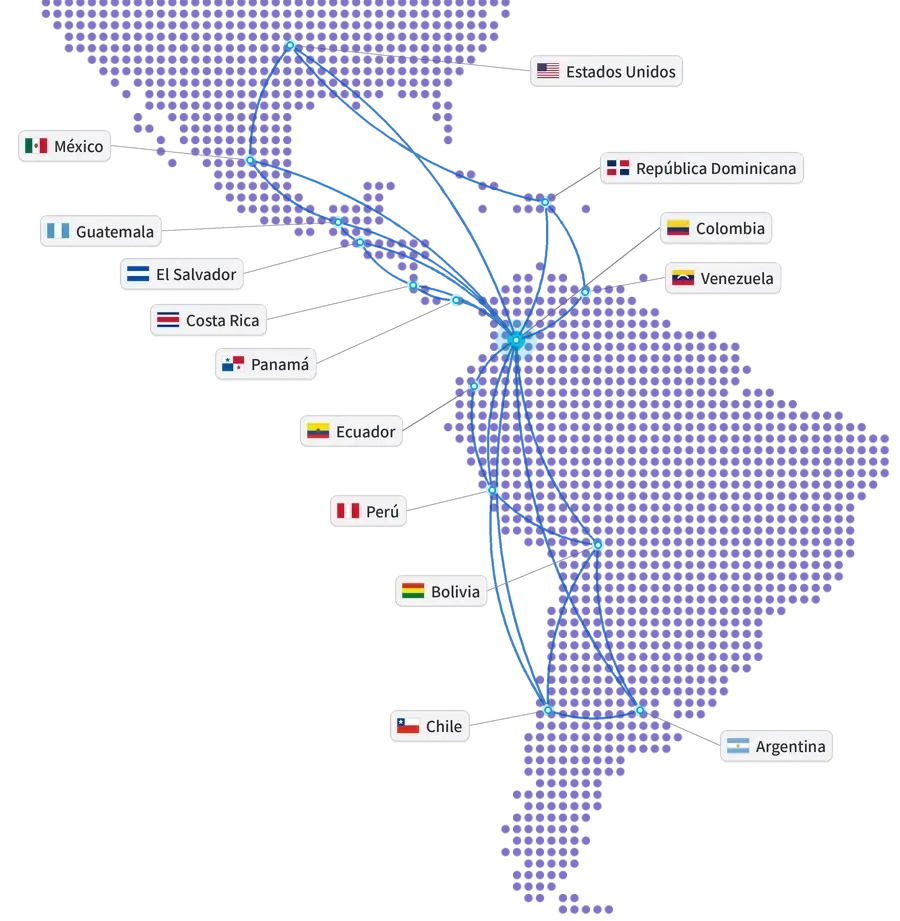
Global experience at your service
- Years of experience
- 15+
- Companies in Latin America
- 850+
- Countries
- 10+
- Integrations
- 100+
- ERP and ERP+ modules
- 40
- AI agents
- 20+
Companies that trust GIITIC






Questions about Smart Scheduling
What appointments and services can the artificial intelligence agent schedule?
What happens with cancellations, changes and special cases?
Do I need GIITIC CRM or to change my appointment system?
How does it adapt to my scheduling rules?
What knowledge does it need and who maintains it?
Who controls what the agent does?
How long does implementation take and how much does it cost?
What happens to my scheduling team?
 Next step
Ready to see your agent work in your process?
Let's talk about your operation. A consultant will review your process, your systems and your knowledge, and show you how the agent would work with your rules.
- Demo of the agent with cases from your process.
- Review of your systems and the available knowledge.
- Estimate of the scope and the next step.
Let's talk about your process
Fill in your details and a consultant will get in touch with you.
Registration successful
We'll be in touch with you shortly.