
GIITIC Project Management

Everything you expect from project management software. And much more.

  • Adapts to your business Your operation, your rules.We start from best practices, but we understand that every company is different. We adapt GIITIC to your processes, even when they are complex, without forcing you to change your operation to fit the software.
  • Integration experts 100+ integrations.We connect GIITIC with your technology ecosystem: modern, in-house or legacy systems. We have more than 100 integrations and the experience to build the ones your operation needs.
  • We solve problems, not just implement We take charge from start to finish.We avoid the typical implementation problems: incomplete scopes, consultants who do not understand the operation, or features that do not solve the need. You work with experts focused on making the solution work from start to finish.
  • Record-time implementation and support Experience + tools + AI.We are experts in what we do. We combine experience, methodology, tools and AI to speed up every stage, deliver implementations in weeks and resolve your needs with agility.
  • AI + Agents + Intelligent analytics Much more than AI features.AI features included in the software that you can extend with agents and intelligent data analytics. All connected in one ecosystem and with a single vendor.
  • One single plan No tiers or hidden costs.All of the product’s functionality is included from the start. No multiple editions, locked features or hidden costs that complicate the administration of your solution.

Do you know if your operation is at risk?

These are common signs of teams that work without technology.

  • Spreadsheet schedules that nobody updates
  • Tasks without a clear owner or date
  • Delays that are discovered at the end
  • Overloaded people while others wait
  • Projects that go over budget
  • Hours worked that never reach the project
  • Scope changes without approval
  • Risks that nobody records or tracks
  • Clients who ask for status by email
  • Completed milestones that are invoiced late
  • Multiple projects with no overall view
  • Estimates that are never compared with actuals

How does GIITIC Project Management improve my operation?

  • Greater speed

    Automate tasks and connect your information so your team responds sooner and your processes move forward without waiting.

    • Builds the schedule with tasks, dependencies and milestones and adjusts it automatically when a task moves
    • Creates projects from templates with tasks, roles and deliverables already defined
    • Assigns tasks according to each person’s workload and notifies the owner on their phone
    • Receives time worked per task without asking for manual reports
    • Generates the project status report automatically
    • Sends approved milestones to invoicing as soon as they are met
  • Higher quality

    Standardize the work and control every step so your information is reliable and your results are consistent.

    • Keeps every task with an owner, a date, an estimate and an up-to-date status
    • Shows the critical path so you know which tasks cannot slip
    • Requires approval to start projects and to change scope, dates or budget
    • Records risks and issues with an owner and a response plan
    • Keeps a log of every change, comment and delivery in the project
    • Asks for acceptance from the client or the owner on each deliverable
  • Lower costs

    Reduce rework, errors and manual work so your operation delivers more with the same resources.

    • Compares actual costs and hours with the budget so you can correct in time
    • Avoids overloading some people while others wait for work
    • Flags deviations from estimates before they turn into cost overruns
    • Invoices completed milestones without waiting for month end
    • Reuses templates and lessons from previous projects
    • Reduces status meetings with up-to-date dashboards and status reports

Take your company to the next level with AI

  • Built-in AI features

    • Generation of an initial schedule with tasks, milestones and dependencies from a project description
    • Summary of the project status for the client or management
    • Alert of risk of delay or cost overrun based on progress, time and budget
    • Suggested assignments based on each person’s workload and profile
    • Natural-language queries about projects, tasks, costs and owners
  • Workforce AI

    If you want to go further, our autonomous agents take on operational tasks in any area of the company, with human oversight and central governance.

    • OpenAI
    • Anthropic
    • Gemini
    Explore Workforce AI
  • Analytics

    If you want more advanced AI-powered data analysis, Analytics applies forecasting, predictions, anomaly detection and optimization to your operational data.

    Explore Analytics

Manage what really matters

GIITIC Project Management controls every project, task, milestone, resource, budget and change, from the moment the project is approved until it is delivered and closed.

  1. Identify
  2. Characterize
  3. Classify
  4. Relate
  5. Manage
  6. Act
  7. Close
  • Projects

    Projects with client, objective, scope, dates, budget and manager, from approval to close.

  • Tasks

    Tasks and subtasks with owner, dependencies, estimate, actual time and status within the schedule.

  • Milestones and deliverables

    Milestones and deliverables with a date, acceptance criteria and approval from the client or the owner.

  • Resources and assignments

    People and teams assigned to tasks, with their capacity, workload and availability.

  • Budgets and costs

    Budget by project and phase against actual hours, purchases and expenses, with its variance.

  • Risks and changes

    Risks, issues and change requests with their impact, owner and approval.

Solutions for every role

Everyone who directs, executes, controls or receives a project finds what they need: queries, transactions, reports and indicators.

Solutions for every role

Project manager

Self-service de consulta

  • Schedule, critical path and team workload
  • Open risks and changes

Self-service transaccional

  • Schedule, tasks and milestones
  • Assignments
  • Change requests
  • Status report with AI

Reportes

  • Progress against plan
  • Cost against budget

KPI

  • Project progress
  • Budget variance

Team member

Self-service de consulta

  • Their tasks and dates from the phone

Self-service transaccional

  • Progress updates on their tasks
  • Time tracking
  • Comments and files

Reportes

  • Their pending and overdue tasks

KPI

  • Tasks on time

Project management office (PMO)

Self-service de consulta

  • Project portfolio from the app

Self-service transaccional

  • Approval of projects, budgets and changes
  • Project templates

Reportes

  • Portfolio status
  • Resource workload across projects
  • Export to Excel and Power BI

KPI

  • Projects on time
  • Projects within budget

Project finance

Self-service de consulta

  • Costs, purchases and hours by project
  • Milestones to invoice

Self-service transaccional

  • Budget approval
  • Sending milestones to invoicing

Reportes

  • Profitability by project
  • Milestones invoiced

KPI

  • Project margin
  • Milestones invoiced on time

Project client

Self-service de consulta

  • Milestones, deliverables and project status from the client portal

Self-service transaccional

  • Approval of deliverables
  • Comments and requests

Key features

Key features

Projects and approval

Register projects with client, scope, dates and budget, from templates, and approve them before they start.

Gantt schedule

Organize tasks, subtasks, dependencies and milestones in a Gantt chart that adjusts itself and shows the critical path.

Tasks and collaboration

Assign tasks with an owner, date and estimate, and follow their progress with comments, files and a log.

Resources and workload

Assign people according to their capacity, see each person’s workload across projects and reassign before they are overloaded.

Time and estimates

Receive time worked per task and compare it with the estimate, with alerts when it deviates.

Budget and costs

Control the budget by phase with actual hours, purchases and expenses, and show the project’s profitability.

Risks and changes

Record risks and issues and manage change requests with their impact on dates and budget.

Milestones, deliverables and invoicing

Share milestones and deliverables with the client, receive their approval and send completed milestones to invoicing.

Dashboards and portfolio

Show the status, progress, cost and risks of each project and of the portfolio with automatic reports.

  • GIITIC Project Management
  • Shift and Schedule Management: Delivers hours worked by project and task.
  • Remote Work Monitoring: Receives projects and tasks and returns the recorded time.
  • Contracts: Shares milestones and statuses with the contract’s obligations.
  • Customer Portal: Publishes milestones and deliverables and receives the client’s approval.
  • Sales: Receives completed milestones to invoice them.
  • Accounting: Records costs and revenue by project and cost center.
  • Purchasing: Links purchases and expenses to the project.
  • Integrated Executive Management System: Receives progress, milestones and budget for each strategic initiative.
  • Document Management: Keeps the project’s documents and deliverables.
  • Enterprise ERP: Project costs, purchases and invoicing in the ERP you already use.
  • External projects: Import of schedules and tasks from other tools.
  • Collaboration: Notifications, comments and meetings for the project team.
  • BI: Export of the portfolio, costs and progress.

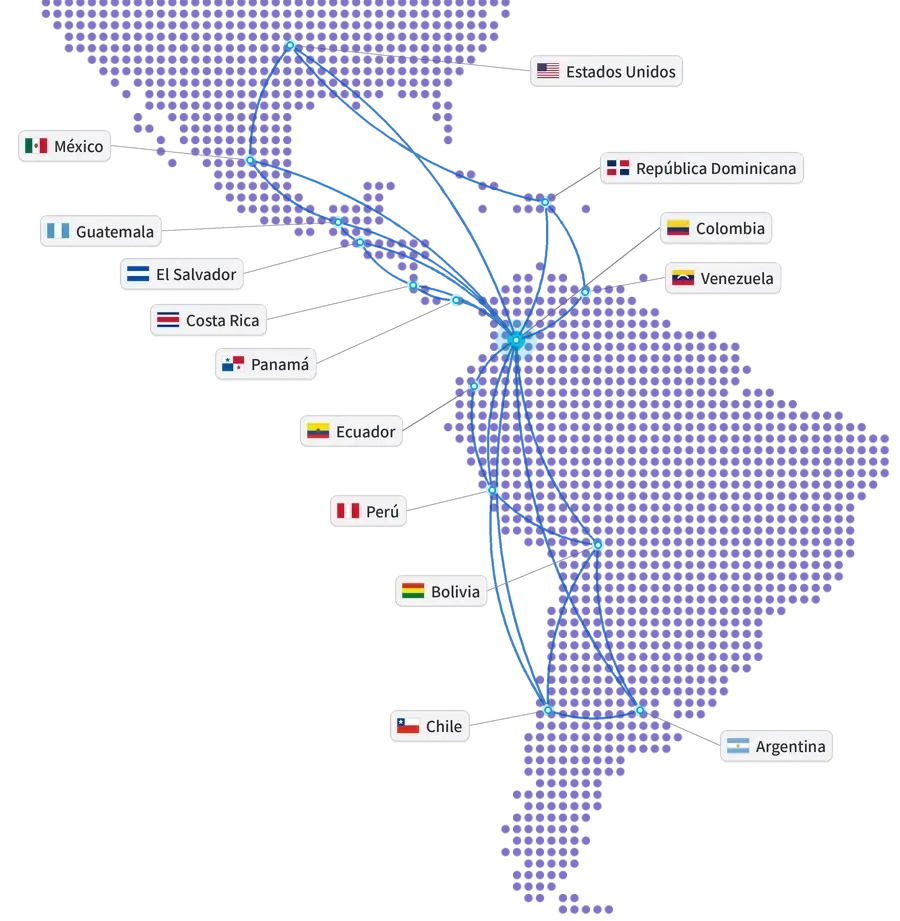
Connected ecosystem

Map of the Americas with the United States, Mexico, Guatemala, El Salvador, Costa Rica, Panama, Dominican Republic, Colombia, Venezuela, Ecuador, Peru, Bolivia, Chile and Argentina connected from Colombia
Our track record

Global experience at your service

Years of experience
15+
Companies in Latin America
850+
Countries
10+
Integrations
100+
ERP and ERP+ modules
40
AI agents
20+

Companies that trust GIITIC

Frequently asked questions

Questions about GIITIC Project Management

Can GIITIC Project Management be integrated with my current ERP?
Yes. It connects with GIITIC ERP and with the enterprise ERP you already use: it carries costs, purchases and milestones to invoice to the ERP and receives time worked without re-entering it. The scope of each integration is defined when sizing the project.
Can I adapt the project software to my working methodology?
Yes. You configure project and task types, templates, phases, statuses, fields, Gantt, board or calendar views and approval levels, for phased projects or short cycles. If your operation needs more, our team adapts it as part of the implementation.
Does GIITIC software include artificial intelligence?
Yes. AI generates an initial schedule from a description, summarizes the project status, alerts on risks of delay or cost overrun, suggests assignments based on workload and answers questions about your projects. Your team decides. You can extend it with Workforce AI.
Can my team update their tasks from their phones?
Yes. Each person checks their tasks, updates progress, logs time and comments from the app, and the client can follow the milestones from the portal.
What does the software implementation include?
Direct support from the software vendor: we size your project types and your way of working with you, configure templates, approval flows and permissions, connect your systems, load your current projects and give you direct support. Timelines depend on the scope.
Can I use GIITIC Project Management without implementing GIITIC ERP?
Yes. GIITIC Project Management works on its own and complements the ERP your company already has: your projects’ costs, purchases and invoicing connect without switching systems. If you implement GIITIC ERP or other modules later, they connect without duplicating information.
Next step

Ready to transform your process with GIITIC software?

Schedule a guided demo of GIITIC software. A consultant will review how your operation works and show you how the software adapts to your business rules.

  • Explore the software with use cases from your industry.
  • Compatibility assessment with your current ERP and your sales channels.
  • Review of the scope and the next step.

Request a guided demo of the software

Fill in your details and a consultant will get in touch with you.

Fields marked with * are required.

Open in a new tab