
Smart Work Assistant
See how your team’s day-to-day work is evolving in organizations with AI agents.
- Prebuilt agent Ready to use, we do not start from scratch.We start from an agent prepared for this process and configure it with your rules, your systems and your way of working.
- Best practices Built in from day one.The agent's instructions incorporate the process practices we have applied when automating it in different organizations.
- Configured by experts Functional and technology consultants.Specialized consultants support the configuration, integration, testing and go-live of the agent in your operation.
- Agent platform Workforce AI.The agent runs on Workforce AI, GIITIC's own platform that centralizes security, permissions, audit, usage and administration of all your agents.
- Process experience Processes + technology + enterprise software.Behind every agent are years of experience implementing enterprise software and automating processes in companies across Latin America.
- GIITIC software ecosystem The tools the agent needs.We integrate with your current systems and, if you are missing one, the GIITIC ecosystem provides the modules the agent needs to query and act.

How it is done today, and why it is no longer enough
Finding the information needed to work is still hard: in a Gartner survey of 4,861 employees, 47% said they struggle to find the information or data they need to do their jobs well.
- Too many applications
- Endless searches
- Data that depends on others
- Documents from scratch
- Analysis without time
- Work that piles up
Smart Work Assistant agent

I'm an artificial intelligence agent trained by experts, ready to use and built with best practices. I am here to help you with any task: I find the information in your systems and documents, understand the context, prepare drafts, analyses and presentations, and recommend how to proceed with the sources in plain view. You review and decide; I flag anything sensitive for you to validate.
Prebuilt, but adaptable to each organization.
How I work
- I detectWhat you needI understand your request in natural language: what task, for whom, by when and with what result.
- I understandContextI search for documents, emails, records and data in your systems, with your same permissions.
- I analyzeInformationI compare, summarize and calculate to find what matters and the points that need attention.
- I decideRecommendationI propose options and how to proceed, with the advantages, risks and sources of each.
- I executeContentI prepare the draft of the email, document, analysis or presentation you need.
- I verifyValidationI cite the sources, flag what needs your validation and adjust based on your comments.
Results you can achieve
- in time spent on writing tasks
- −40%Experiment with 453 professionals on tasks typical of their occupation; experts rated the results without knowing who had used AI.Source: Noy and Zhang, Science, 2023
- in the quality of the work delivered
- +18%Improvement in the quality of the texts written by people who used generative AI, rated by professionals in the same occupation.Source: Noy and Zhang, Science, 2023
- in cases resolved per hour with AI
- +15%Study of 5,172 support agents: generative AI assistance increased productivity, more so for the less experienced.Source: Brynjolfsson, Li and Raymond, Quarterly Journal of Economics, 2025
Reference values based on benchmarks and comparable scenarios. Results depend on the characteristics of each operation and are not guaranteed results.
Greater speed, higher quality, lower costs

Greater speed
Automate tasks and connect your information so your team responds sooner and your processes move forward without waiting.
- Gathers information from several systems for a task in minutes
- Prepares drafts of documents, emails and presentations instantly
- Avoids waiting for another department to send data that’s already in the systems
- Responds at any hour, for anyone on the team

Higher quality
Standardize the work and control every step so your information is reliable and your results are consistent.
- Works with the current information in your systems, not with outdated copies
- Shows the source of each data point so you can review it
- Applies your templates, tone and policies to the content
- Flags risks and points that need validation

Lower costs
Reduce rework, errors and manual work so your operation delivers more with the same resources.
- Reduces the hours spent searching for information and building documents
- Cuts down on requests for data between departments
- Helps people with less experience in a task the most
- Frees your team to think, decide and engage with clients
Artificial intelligence in day-to-day work
Before
- 9:00 a.m.9:00 a.m. · MilestoneThe manager asks for preparation for the meeting with a customer who wants to renegotiate
- 9:00 a.m.9:00 a.m. · Lost timeThe request waits while the analyst finishes other tasks3 h
- 12:00 p.m.12:00 p.m. · PersonSearches for the customer’s contract, emails and cases across three systems45 min
- 12:45 p.m.12:45 p.m. · Lost timeAsks finance for the customer’s profitability and waits for the reply20 h
- 8:45 a.m. · day 28:45 a.m. · day 2 · PersonAnalyzes the information and writes the summary with options1 h 30 min
- 10:15 a.m.10:15 a.m. · PersonPrepares the presentation for the meeting45 min
- 11:00 a.m. · day 211:00 a.m. · day 2 · MilestoneSummary and recommendation ready for the meeting
Now
- 9:00 a.m.9:00 a.m. · MilestoneThe manager asks for preparation for the meeting with a customer who wants to renegotiate
- 9:00 a.m.9:00 a.m. · AgentSearches for the customer’s contract, emails, cases and invoices< 1 min
- 9:01 a.m.9:01 a.m. · AgentChecks the customer’s profitability in the ERP with the manager’s permissions< 1 min
- 9:02 a.m.9:02 a.m. · AgentAnalyzes and prepares a summary with three negotiation options and their sources5 min
- 9:07 a.m.9:07 a.m. · AgentBecause one option changes pricing terms, flags it for the manager’s validation< 1 min
- 9:08 a.m.9:08 a.m. · Lost timeThe manager finishes their current meeting1 h
- 10:08 a.m.10:08 a.m. · PersonReviews, adjusts one option and approves the document20 min
- 10:28 a.m.10:28 a.m. · AgentGenerates the presentation with the approved version< 1 min
- 10:29 a.m.10:29 a.m. · MilestoneSummary and recommendation ready the same morning
Tangible results in your operation
| Indicator | Before | Now | Factor |
|---|---|---|---|
| End-to-end cycle time | ≈ 26 h | ≈ 1.5 h | ×18 |
| Human work time | 3 h | 20 min | ×9 |
| Waiting time | 23 h | 1 h | ×23 |
| Human intervention | 100% | ≈ 40% | ÷2.5 |
| Team capacity | 1× | ≈ 2.5× | ×2.5 |
Illustrative reference scenario. Times depend on each operation and are validated with your data.
Your team moves from operating to deciding
The capacity the agent frees up goes to analysis, decisions, relationships, exceptions, improvement and innovation.
No more low-value manual tasks
- Searching for the same information across several systems
- Asking other departments for data and waiting for a reply
- Building documents and presentations from scratch
- Summarizing emails, meetings and long documents
- Copying and pasting figures between applications
The team adds value to the operation
- Making better decisions with the analysis already prepared
- Reviewing and enriching the work the agent proposes
- Spending more time on clients, team and projects
- Learning faster with the agent’s help on new tasks
- Sharing best practices and templates that make the agent better
Your team's professional growth
- AI power userDesigns instructions and templates that the team reuses with the agent.
- Agent supervisorReviews the quality of the responses, adjusts permissions and governs the agent’s knowledge.
- Knowledge curatorKeeps current the documents and data the agent uses.
Agents are only as good as the knowledge and context they handle
It is one of the great challenges of enterprise artificial intelligence (AI): an agent without clear rules, reliable data and business context makes mistakes or stops. That is why knowledge is prepared, governed and improved as part of the project.
- Company documents, templates and presentations
- Customers, suppliers, contracts and transactions in your systems
- Policies, procedures and decision criteria

The knowledge this agent handles
- The company’s tone, style and communication formats
- Each person’s access permissions
- Request history and each user’s preferences
60%
of AI projects without AI-ready data will be abandoned through 2026, according to Gartner. Gartner, “Lack of AI-Ready Data Puts AI Projects at Risk,” February 2025
Workforce AI helps you prepare, govern and improve it
- Instructions prebuilt by experts
- Process best practices
- Tools to create and capture knowledge
- Knowledge management
- Integration with your current sources
- Enrichment of existing knowledge
- Ongoing updates
- Knowledge governance
- Continuous learning and improvement
We integrate with your environment
We connect the agent with virtually any application, API, service or data source in your company, whether GIITIC or third-party systems.
Integrations this agent requires
- Email, calendar and chatEmails, meetings, schedules and conversations that give context to each task.
- Documents and filesDocument repositories, shared folders and company templates.
- ERP, CRM and other systemsYour ERP, CRM (SAP, Salesforce or others) or GIITIC: customer, sales, finance and operations data.

Your agent, connected to your operation
Base systems for agents
If you do not have the base system, we provide reduced versions of GIITIC modules with the capabilities the agent needs to work.
- Document Management for agentsA reduced version of GIITIC Document Management: current documents, versions and permissions that the agent consults.
- CRM for agentsA reduced version of GIITIC CRM: customers, opportunities, cases and history that the agent uses as context.
- Applications and ERP
- APIs and web services
- Databases and files
- MCP (Model Context Protocol), when applicable
An agent needs software tools to query information and carry out actions. Without them, it stays a conversation. That is why we cover both paths: connecting to what you already have or giving you what you are missing.
See GIITIC integrations95%
of organizations struggle to integrate AI into their existing processes. MuleSoft (Salesforce), Connectivity Benchmark Report 2025, study sponsored with Vanson Bourne and Deloitte Digital
Today it is one agent, tomorrow dozens
Every area will add agents working at the same time. Workforce AI is the control center of your digital workforce, not an isolated script.
Explore Workforce AI- Agent creation and management
- Security, identities and permissions
- Policies and human oversight
- Traceability and audit
- Observability, quality and results
- Models, tokens, usage and costs
- Continuous updates to new AI models and features
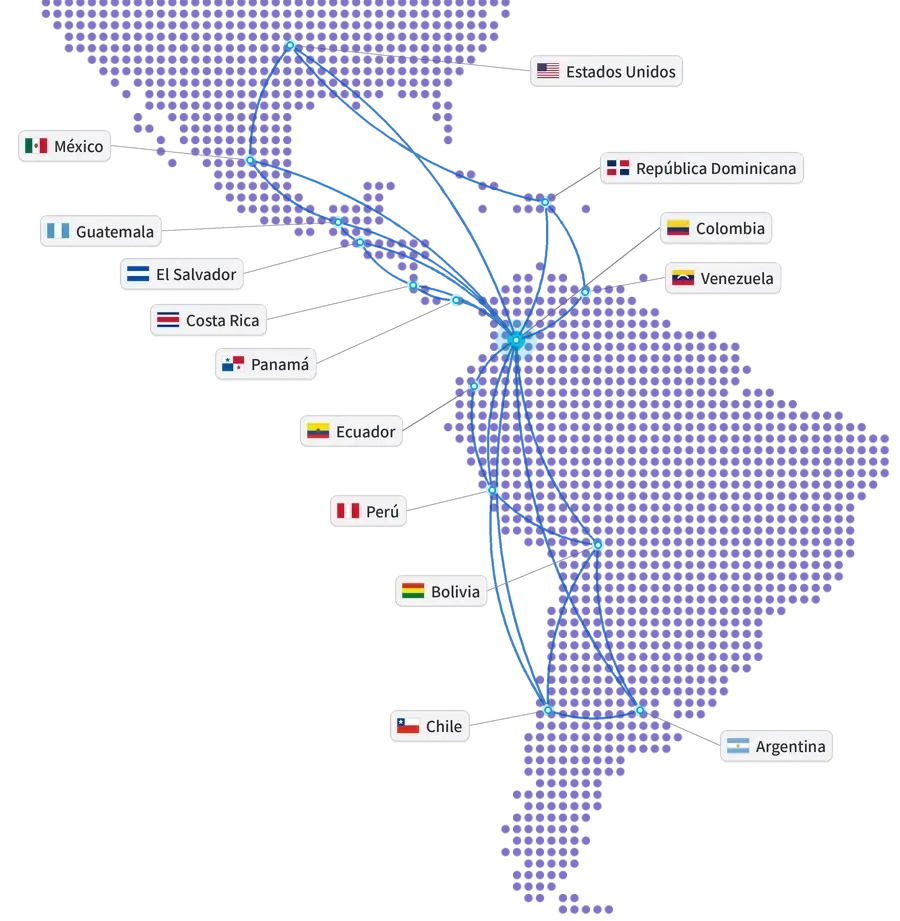
Global experience at your service
- Years of experience
- 15+
- Companies in Latin America
- 850+
- Countries
- 10+
- Integrations
- 100+
- ERP and ERP+ modules
- 40
- AI agents
- 20+
Companies that trust GIITIC






Questions about Smart Work Assistant
What tasks does the artificial intelligence agent help with?
Can it see information I’m not supposed to see?
What happens if it makes a mistake?
Do I need GIITIC, or can I use my current systems?
What knowledge does it need, and who maintains it?
Who controls what the agent does?
How long does implementation take, and how much does it cost?
What happens to my team?
 Next step
Ready to see your agent work in your process?
Let's talk about your operation. A consultant will review your process, your systems and your knowledge, and show you how the agent would work with your rules.
- Demo of the agent with cases from your process.
- Review of your systems and the available knowledge.
- Estimate of the scope and the next step.
Let's talk about your process
Fill in your details and a consultant will get in touch with you.
Registration successful
We'll be in touch with you shortly.